


How to Connect a Car Thermal Camera: CarPlay to HDMI
A car thermal camera is only useful if the driver can see its image without looking away from the road for long. JOVSTAR offers three ways to show it: a standalone 5″ or 7″ display, the vehicle’s own screen (through wired CarPlay, an Android head unit or a dedicated decoder), or a video output (AHD, HDMI or CVBS) for monitors and other systems. This guide compares them so you can match the system to the vehicle. For the full range, see our vehicle thermal camera selection guide.
The Options at a Glance
| Display route | JOVSTAR system | Best for |
|---|---|---|
| Standalone 5″ display | JV-ADS-S5 | Any vehicle; choice of seven camera lenses |
| Standalone 7″ display | JV-ADS-S7 | Simple retrofit in cars, RVs, trucks and machinery |
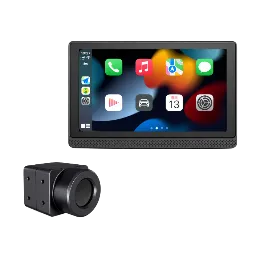
| 7″ display + CarPlay / Android Auto | JV-ADS-S7P | Cars that also need smartphone integration |
| Wired CarPlay screen | A2C / A3C / A6C | Cars with wired CarPlay on the factory screen |
| Android head unit (USB) | A2 / A3 / A6 | Cars with Android 6–14 aftermarket head units |
| Factory screen via decoder | Vehicle-specific system | Concealed installation in supported fuel-powered models |
| AHD video | A2A / A3A / A6A | AHD monitors and streaming rear-view mirrors |
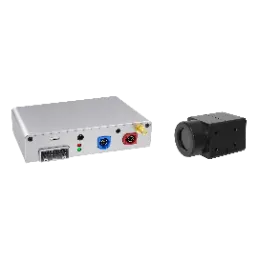
| HDMI video | A2H / A3H / A6H | HDMI monitors and digital instrument screens |
| CVBS + USB video | JVA-256 / 384 / 640 | Universal installs on monitors, Android displays or factory screens |
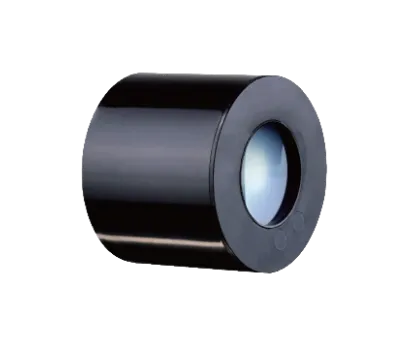
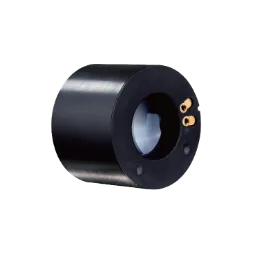
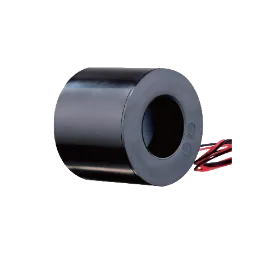
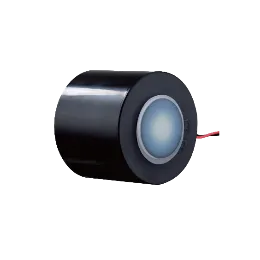
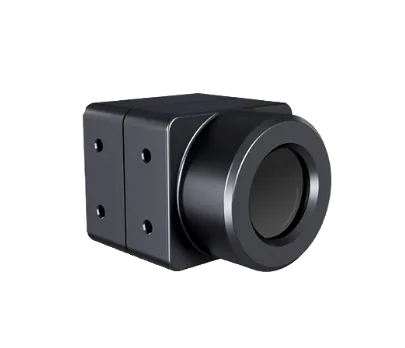
Every option uses the same family of IP67 VOx thermal cameras (256×192, 384×288 or 640×512) and a 3 TOPS AI processor for people and vehicle recognition.
Standalone Display Systems
A standalone system brings its own screen, processor and speaker, so it works in any vehicle without compatibility checks.
- The JV-ADS-S5 has a 5-inch 1024×600 IPS touchscreen, seven color palettes, video recording, custom alert zones and adjustable sensitivity, and recognizes animals as well as people and vehicles. It runs from DC 9–32 V.
- The JV-ADS-S7 has a 7-inch 1024×600 IPS display, a built-in speaker and three-level alerts linked to vehicle speed and distance, and runs from DC 9–24 V or the cigarette lighter.
- The JV-ADS-S7P adds Apple CarPlay, Android Auto, Bluetooth calls and music and USB media, so one screen handles both navigation and night vision. Thermal alerts stay active while navigation is in use.
Choose standalone when the vehicle has no suitable screen, you want the quickest installation, or the same kit must fit many different vehicles.
Showing the Image on the Vehicle’s Own Screen
Original-screen systems give the cleanest installation: no extra display on the dashboard.
- Wired CarPlay: the A2C / A3C / A6C connects to the factory screen through the car’s wired CarPlay USB port, without replacing the display.
- Android head units: the A2 / A3 / A6 sends the image over USB Type-C (UVC) to Android 6–14 head units, with app settings and split-screen display.
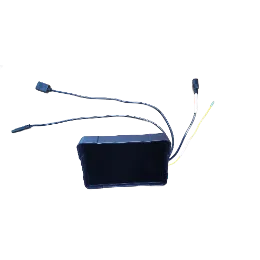
- Factory infotainment screens: the vehicle-specific system uses a dedicated decoder for a concealed installation on supported fuel-powered models such as BMW, Audi, Mercedes-Benz, Volvo, Volkswagen, Porsche and Toyota.
Choose original-screen when the car already has a compatible screen and a clean, factory-like look matters. Always confirm compatibility for the exact model and screen first.
Video-Output Units for Monitors and Systems
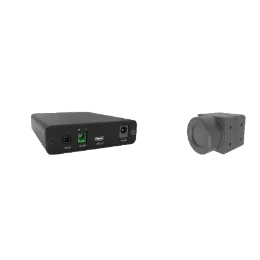
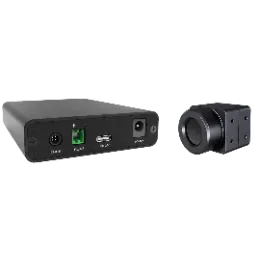
- AHD: the A2A / A3A / A6A outputs 720p or 1080p AHD at 25 or 30 Hz, for AHD monitors, streaming rear-view mirrors and third-party video systems, with aviation or RCA connectors.
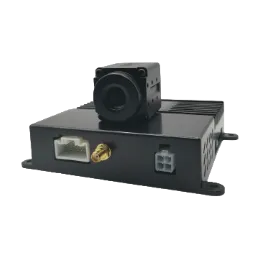
- HDMI: the A2H / A3H / A6H outputs HDMI for monitors and digital instrument screens, with a built-in warning speaker and an optional TTL serial interface.
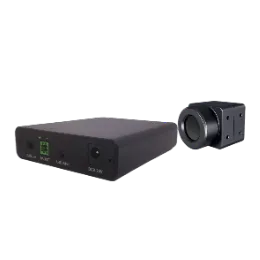
- CVBS + USB: the JVA-256 / 384 / 640 outputs CVBS and USB at the same time, for external monitors, Android displays or factory screens through a decoder.
Choose video output when the image must feed an existing monitor, a fleet recording system, an e-mirror or a wider situational awareness system.
Questions to Ask Before Choosing
- What screen does the vehicle have? None, wired CarPlay, an Android head unit, a factory screen or a monitor.
- Who installs it? Standalone and cigarette-lighter-powered systems suit simple installations; decoder systems need an experienced installer.
- What voltage? Most units accept DC 9–36 V for 12 V and 24 V vehicles; the JV-ADS-S7 accepts 9–24 V.
- How will warnings reach the driver? Built-in speaker, external speaker or car horn, depending on the system.
- Which camera? Resolution and lens set range and coverage. See how far a car thermal camera can see.
Which JOVSTAR System Fits Your Vehicle
- Any vehicle, simplest install: JV-ADS-S7.
- Night vision plus CarPlay on one screen: JV-ADS-S7P.
- Keep the factory screen: A2C / A3C / A6C (wired CarPlay) or the vehicle-specific system.
- Fleets and integrators: AHD, HDMI or CVBS units.
JOVSTAR can adapt interfaces, warning logic, language and mounting for your vehicles through our OEM and ODM service. For fleet and patrol vehicles, see the Vehicle-Mounted All-Weather Situational Awareness Solution.
FAQ
Can I see a thermal camera on my CarPlay screen?
Yes, if the car has wired CarPlay. The JOVSTAR A2C / A3C / A6C system connects through the car’s wired CarPlay USB port without replacing the factory screen.
Which option is easiest to install?
A standalone display system such as the JV-ADS-S7 is simplest: it brings its own screen and can be powered from the cigarette lighter socket.
Can the thermal image go to an existing monitor?
Yes. JOVSTAR video-output units send AHD (720p or 1080p), HDMI, or CVBS plus USB to monitors, streaming rear-view mirrors and third-party systems.
Do the systems work in trucks with 24 V power?
Most JOVSTAR systems accept DC 9–36 V, covering 12 V and 24 V vehicles. The JV-ADS-S7 accepts DC 9–24 V.
Need Help Choosing the Right Product?
Tell us your application, target and operating conditions. The JOVSTAR engineering team will recommend a configuration and prepare a quote.
Get a Quote