


How to Mount Night Vision Goggles on a Helmet
A head-mounted night vision setup needs three things to work well: a rigid mount that holds the goggle steady in front of the eye, enough adjustment to set eye relief and height for each user, and good balance so the helmet stays comfortable for hours. This guide covers mount types, adjustment, power and balance, with the JOVSTAR helmet mounts, battery boxes and head-mounted devices. For the full device range, see our night vision goggles selection guide.
Parts of a Head-Mounted Night Vision System
- Helmet interface: the plate or shroud on the front of the helmet that the mount clips into. JOVSTAR mounts fit the universal standard night vision helmet interface.
- Mount: the arm that holds the goggle, with height, fore-aft and flip adjustment.
- Goggle or monocular: the night vision device itself.
- Power and counterweight: a rear battery box that extends runtime and balances the weight at the front.
Without a helmet, a soft head mount such as the JV-SHM01 holds a light device with a padded headband.
Types of Night Vision Helmet Mount
Single-flip mounts
The goggle flips up out of the line of sight when not needed and down again for use. The JV-HA8 flips through 160° with two positions, and offers ±10 mm height, ±25 mm left-right and ±12 mm fore-aft adjustment at 120 g. The JV-HA9 is a simpler 170 g version with fore-aft adjustment.
Dual-flip mounts
A two-stage flip lets the goggle sit flat against the helmet when stowed, reducing snagging and leverage on the neck. The JV-HA21 flips 120° on the first stage and 270° on the second, with ±10 mm height and ±15 mm fore-aft adjustment, at 200 g. The JV-HA31S offers a two-position 160° flip at 150 g.
Auto power-off detection
All four JOVSTAR mounts use two-point magnetic detection, so the device can switch off when flipped up and back on when lowered. This saves battery and stops the device glowing when stowed.
Setting Up the Mount
- Fit the helmet first. Tighten the helmet’s retention so it does not shift when you move your head.
- Set height. Adjust so the eyepiece sits level with the pupil.
- Set eye relief (fore-aft). Move the goggle until you see the full circular image without a dark edge. JOVSTAR goggles offer generous eye relief, for example 35 mm on the JV-NVD101 and JV-NVF201.
- Set interpupillary distance. On binocular goggles, adjust each eyepiece to your eyes: 56–72 mm on the JV-NVB201, 52–72 mm on the JV-NVF201.
- Focus. Set the eyepiece diopter for your eye, then the objective focus for the distance.
- Check flip and power-off. Flip up and down a few times to confirm the positions lock and the power switches correctly.
Weight, Balance and Power
A goggle on the front of a helmet acts as a lever on the neck. The lighter the device and the closer it sits to the face, the more comfortable it is over a long shift.
| Device | Type | Weight | Power |
|---|---|---|---|
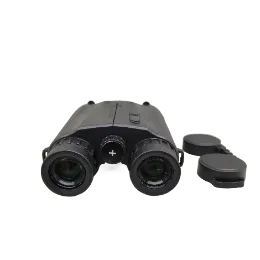
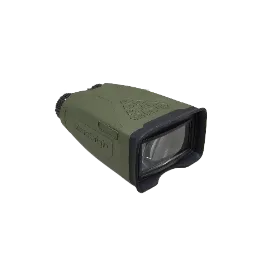
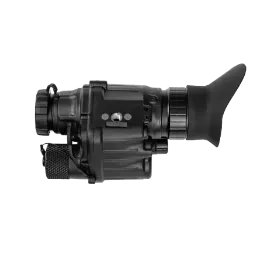
| JV-NVD100 | Digital monocular | 180 g with battery | 18650 or 18500, ≥6 h |
| JV-NVD102 | Digital monocular | 253 g without battery | 18650 |
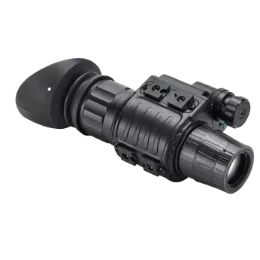
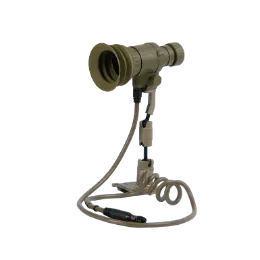
| JV-NVD101 | Digital monocular | ≤310 g with bracket and cable | 18650, ≥6 h |
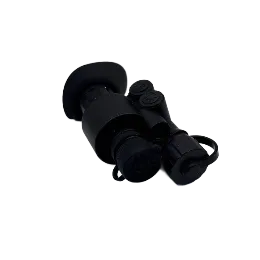
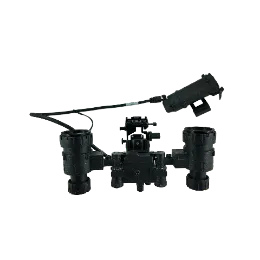
| JV-NVB201 | Gen2+ binocular goggle | ≤420 g without battery and bracket | AA, ≥8 h |
| JV-NVF201 | Gen2+ four-tube goggle | ≤775 g without battery box | CR123A or battery box, ≥24 h |
For heavier goggles, a rear battery box helps twice: it moves the battery weight to the back of the helmet as a counterweight, and it extends runtime. The JV-CA-01 / JV-CA-02 boxes hold 2 × 18650 or 4 × AA cells, deliver DC 3 V through a 5-pin connector, and weigh 50 g or 80 g without batteries.
Common Mistakes
- Loose helmet fit. Any movement of the helmet moves the image; fix the fit before adjusting the mount.
- Too much eye relief. Pushing the goggle far forward narrows the visible image and increases leverage.
- Ignoring balance. A heavy goggle without a counterweight causes neck fatigue within hours.
- Not checking the interface. Confirm the helmet has a standard night vision interface before ordering mounts.
Which JOVSTAR Setup Fits Your Team
- Lightest setup: JV-NVD100 digital monocular on a JV-HA8 mount.
- Gen2+ binocular for patrol: JV-NVB201 on a JV-HA21 dual-flip mount.
- Wide-view four-tube for moving and driving: JV-NVF201 with a rear battery box.
- Without a helmet: a light monocular on the JV-SHM01 soft head mount.
JOVSTAR can supply complete head-mounted kits, or adapt mounts and connectors to your helmets, through our OEM and ODM service.
FAQ
What is the difference between single-flip and dual-flip mounts?
A single-flip mount lifts the goggle up out of the line of sight. A dual-flip mount adds a second stage so the goggle can fold flat against the helmet; the JOVSTAR JV-HA21 flips 120° and then 270°.
Why use a battery box on a helmet?
A rear battery box extends runtime and moves weight to the back of the helmet as a counterweight. The JOVSTAR JV-CA-01 / JV-CA-02 hold 2 × 18650 or 4 × AA cells.
What is auto power-off on a helmet mount?
Magnetic detection in the mount tells the device when it is flipped up, so it can switch off to save battery and stop the eyepiece glowing.
Can night vision be worn without a helmet?
Yes. A soft head mount such as the JOVSTAR JV-SHM01 holds a light device with a padded, tool-free headband.
Need Help Choosing the Right Product?
Tell us your application, target and operating conditions. The JOVSTAR engineering team will recommend a configuration and prepare a quote.
Get a Quote